| 일 | 월 | 화 | 수 | 목 | 금 | 토 |
|---|---|---|---|---|---|---|
| 1 | 2 | 3 | 4 | 5 | 6 | |
| 7 | 8 | 9 | 10 | 11 | 12 | 13 |
| 14 | 15 | 16 | 17 | 18 | 19 | 20 |
| 21 | 22 | 23 | 24 | 25 | 26 | 27 |
| 28 | 29 | 30 |
- 디비
- 짝수
- Math.min
- 도메인
- 데이터베이스
- 배열
- toLowerCase
- 코테
- Math.max
- 1레벨
- Integer
- 문자열
- StringBuffer
- 1level
- Java
- 1lv
- 코딩테스트
- substring
- PARSEINT
- 1단계
- 오라클
- Linux
- 프로그래머스
- SQL
- 알고리즘
- string
- 참조형
- 자바
- programmers
- oracle
- Today
- Total
웹 프로그래밍
[GitHub] 저장소 생성과 프로젝트 원격 저장(Git Bash) 본문
1. GitHub 설치
Git - Downloads
Downloads macOS Windows Linux/Unix Older releases are available and the Git source repository is on GitHub. GUI Clients Git comes with built-in GUI tools (git-gui, gitk), but there are several third-party tools for users looking for a platform-specific exp
git-scm.com
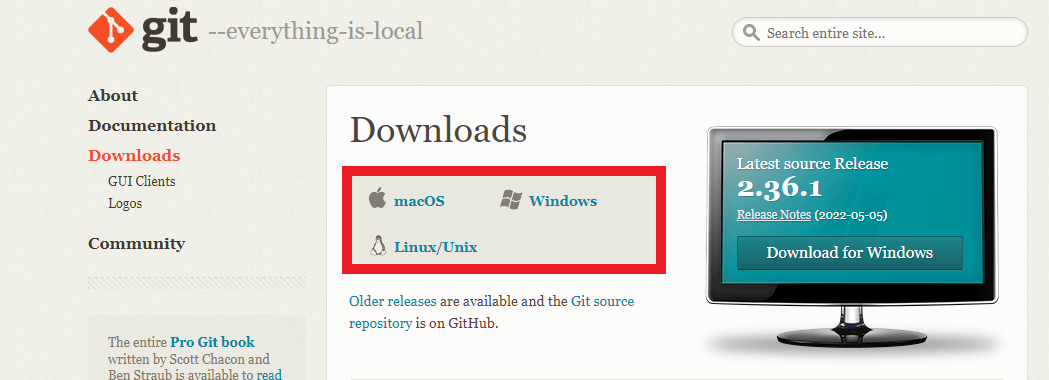
위 링크 이동 후 OS에 맞추어 설치를 진행합니다.
2. GitHub 로그인
GitHub: Where the world builds software
GitHub is where over 83 million developers shape the future of software, together. Contribute to the open source community, manage your Git repositories, review code like a pro, track bugs and feat...
github.com
3. GitHub 저장소 생성

New를 클릭하고 Repository 설정을 진행합니다.

1) 저장소 이름 입력.
2) public(전체 공개) or private(비공개, 일부 공개).
3) README file을 생성.
4) 저장소 생성
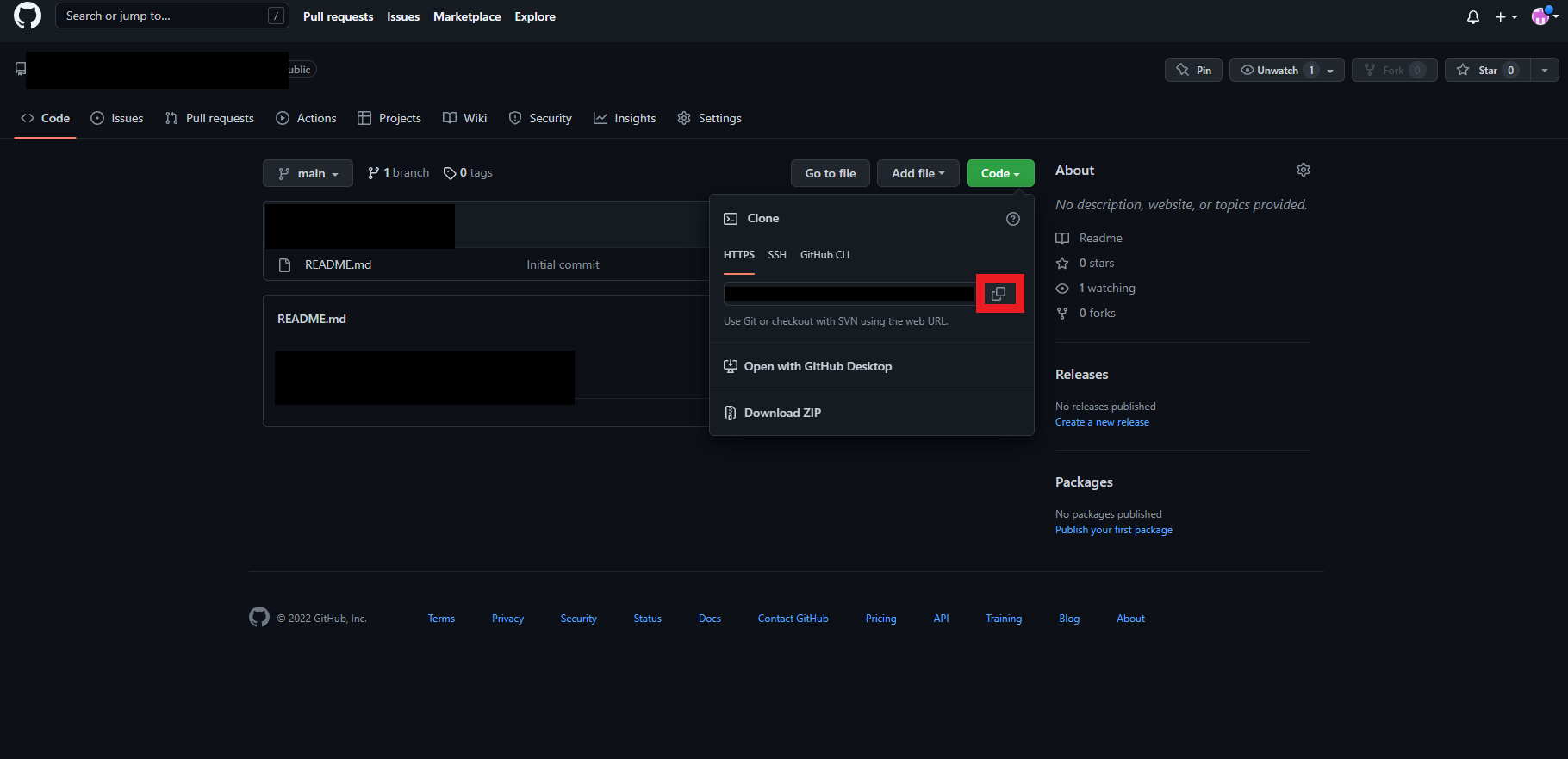
4. 저장소 링크 저장(Git Bash 안에서는 붙여넣기가 안 되기 때문에 직접 입력을 권장)
5. 원격 저장을 위한 프로젝트 폴더 우클릭 -> Git Bash Here

6. Git Bash 명령어를 입력합니다.
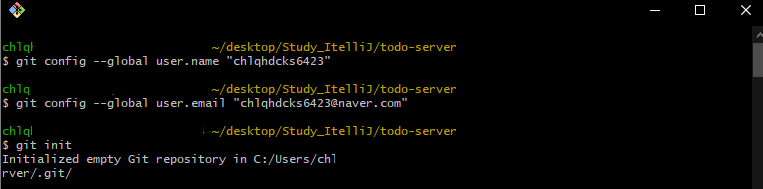
1) git config --global user.name "이름" - 초기 이름 설정
2) git config --global user.email "이메일" - 초기 이메일 설정
3) git init - .git 파일 생성
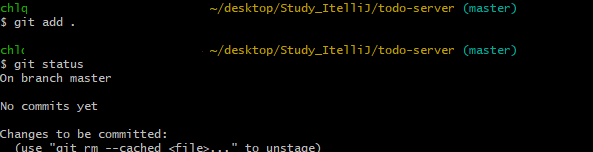
4) git add . - 프로젝트 추가
5) git status - 상태
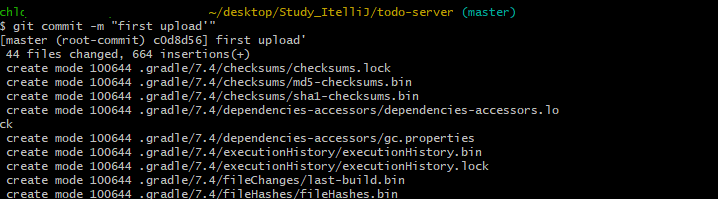
6) git commit -m "내용"

7) git remote add origin 링크주소
링크 주소는 4번에서 저장한 링크를 사용하시면 됩니다.

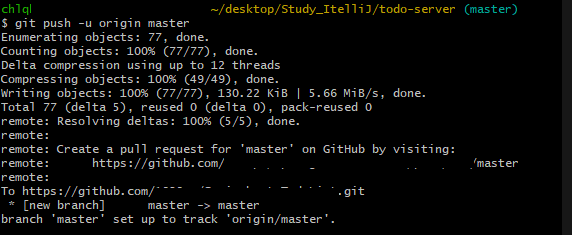
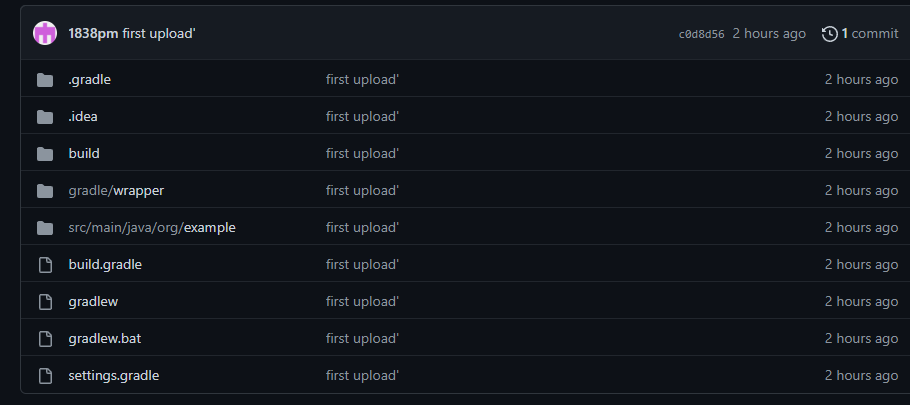
8) git push -u origin master
명령어 입력후 Connect to GitHub 창이 뜨시면 Token 탭을 선택합니다.

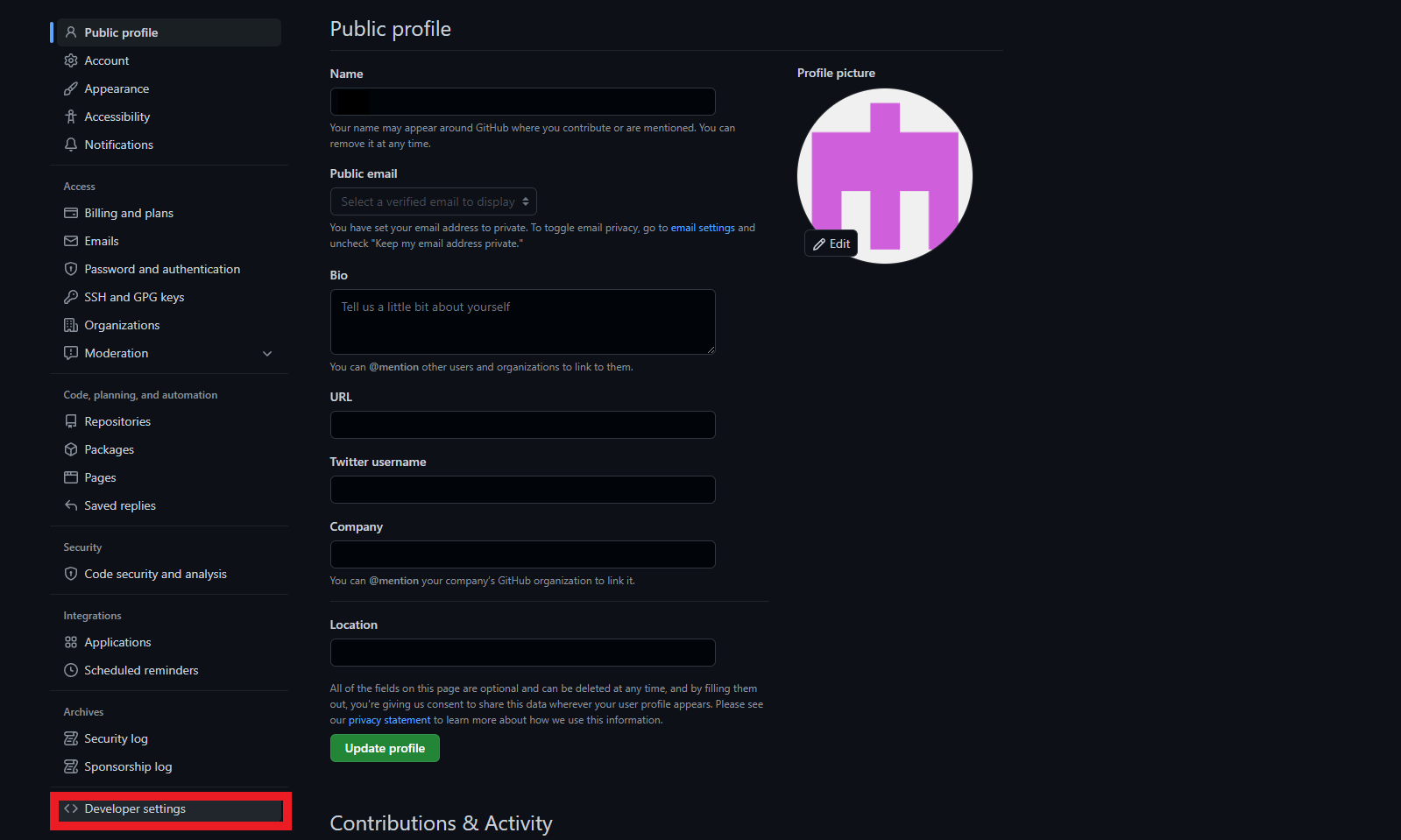

Token 얻는 방법.
7. 끝